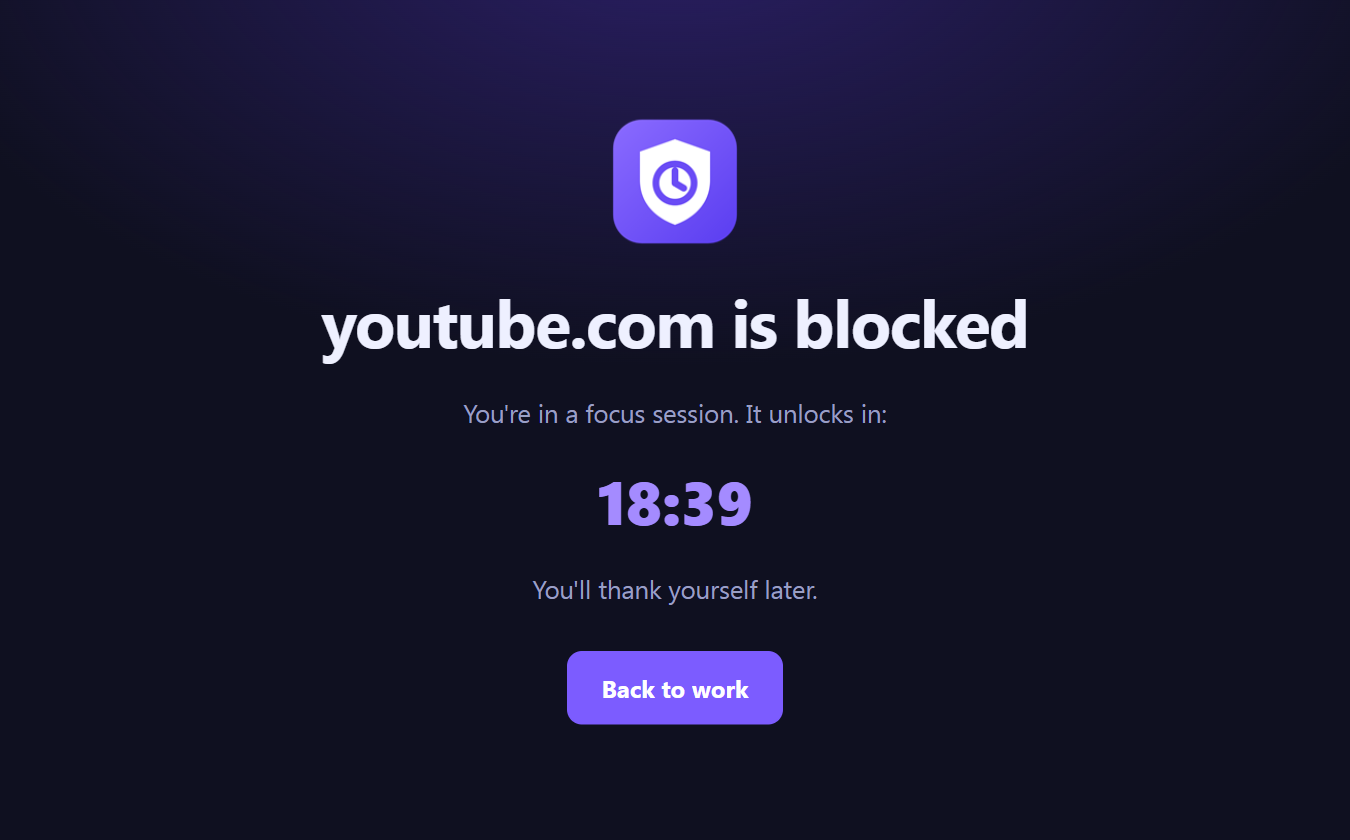
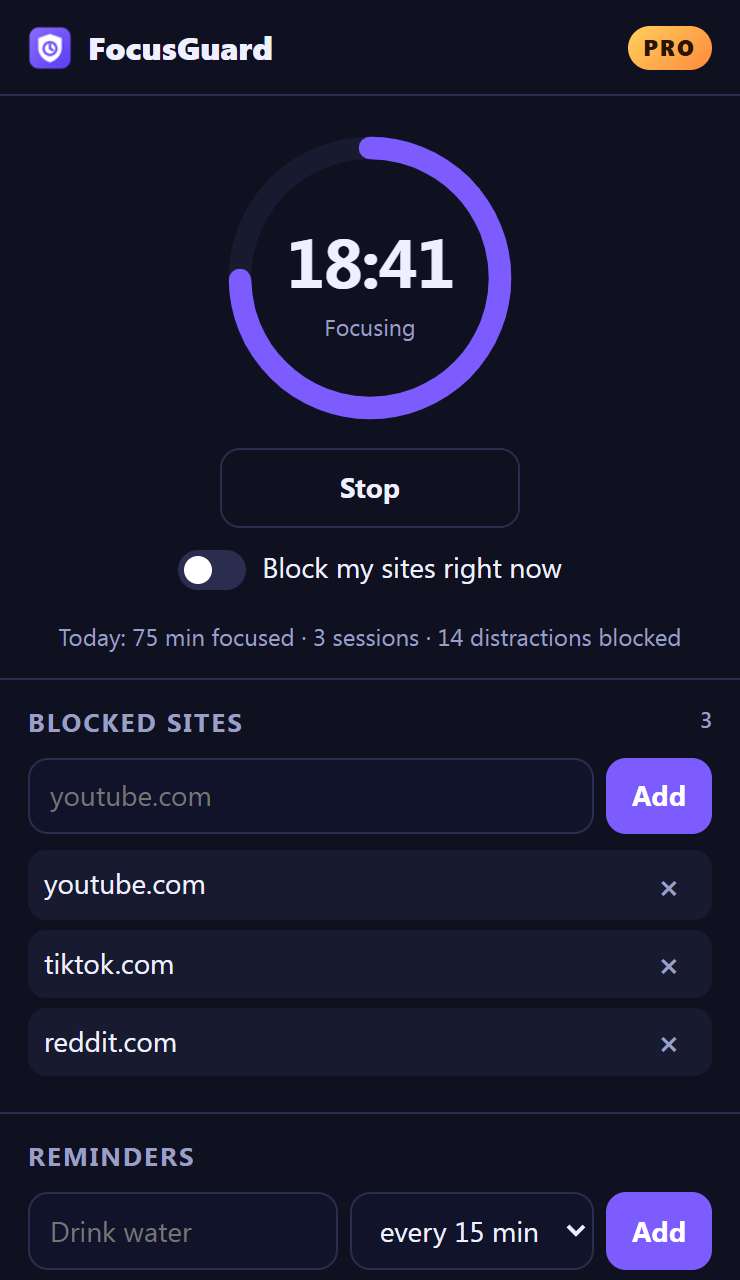
FocusGuard is a Chrome extension that blocks the sites that distract you, runs a focus timer, and reminds you to take breaks, all from one simple popup.
Works in Google Chrome and other Chromium browsers. Your data stays on your computer.
Everything runs inside your browser. No account needed to use the free version.
Add a site like youtube.com and FocusGuard shows a "blocked" page instead whenever blocking is on.
Start a focus session and your sites stay blocked until the timer ends, then take a short break.
One switch blocks all your sites instantly, for as long as you need.
"Drink water every 30 minutes", "Stretch every hour". Get a notification on your schedule. (Pro)
Block automatically on chosen days and times, and lock sessions so you can't quit early. (Pro)
Cap how many tabs you open (Pro) and see minutes focused and distractions blocked each day.
Start free. Upgrade to FocusGuard Pro from inside the extension. Prices are in US dollars.
Payments are processed securely by Stripe through ExtensionPay. See our Refund & Cancellation Policy.
FocusGuard is distributed through the Chrome Web Store. After installing, click the FocusGuard icon in your toolbar to start.
The Chrome Web Store listing is being reviewed by Google and will be linked here when it is live.
Open the FocusGuard popup and click "Get Pro". You'll be taken to a secure Stripe checkout page where you choose monthly, yearly or lifetime. Pro unlocks right after payment.
Open the popup, click "Already paid? Log in", and sign in with the email you paid with. From there you can manage or cancel your subscription. You keep Pro until the end of the period you paid for.
Click "Already paid? Log in" in the popup and enter the email you used at checkout.
No. Your sites, reminders and stats are stored only in your browser. FocusGuard has no analytics, no tracking and no ads. See the Privacy Policy.